Home Depot Website
The Home Depot website is a useful place to compare smart-home products, check compatibility, and choose pickup, delivery, or installation options. It works best when you verify specs and return details before buying.
The Home Depot website is a practical starting point for smart-home shoppers who want to compare devices, check compatibility, and decide whether to buy online, pick up in store, or arrange installation. In 2026, it is especially useful for homeowners and renters who want to narrow down options without visiting multiple stores first.
- Best use: Compare smart-home products and confirm compatibility before checkout.
- Who it suits: Homeowners, renters, and DIY shoppers with different setup needs.
- What to check: Specs, app support, mounting method, shipping, and return policy.
- Main risk: Buying a device that does not fit your ecosystem or room layout.
What the Home Depot Website Is and Why Smart-Home Shoppers Use It
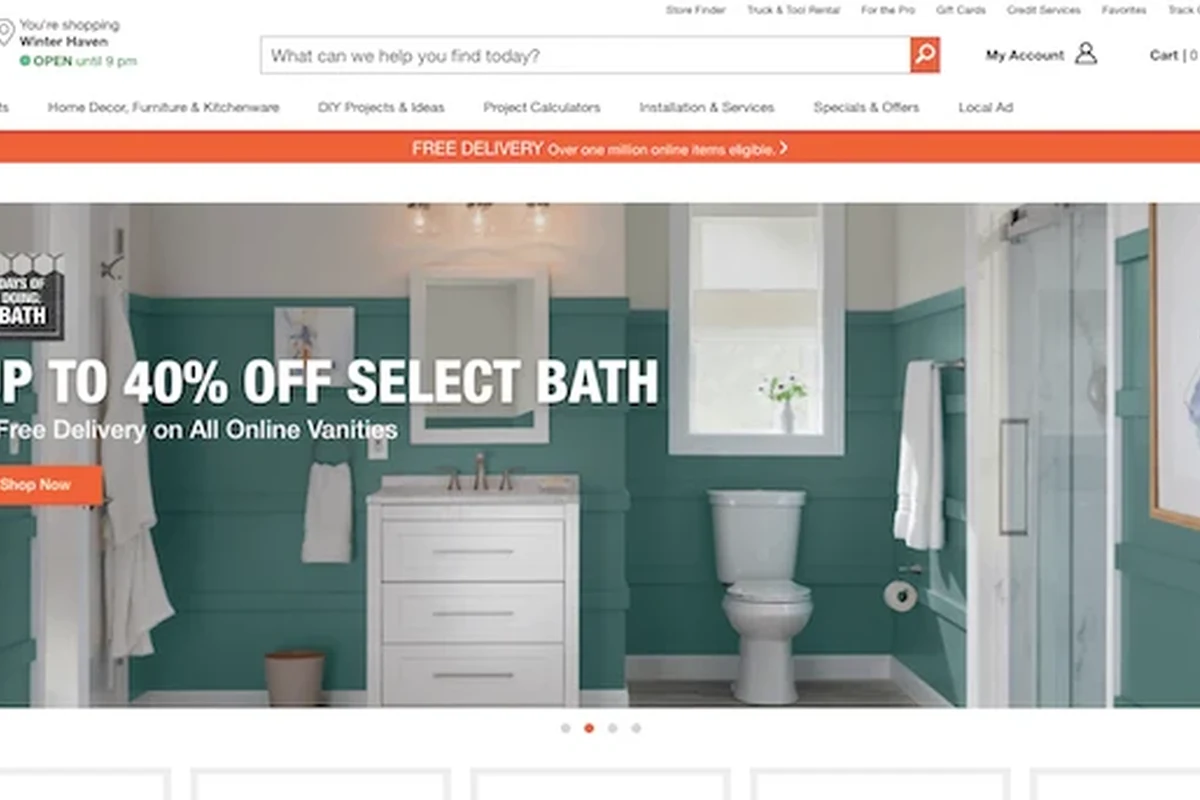
The Home Depot website is the retailer’s online shopping and information hub for home improvement products, including a wide range of smart-home gear such as thermostats, lighting, cameras, locks, outlets, and connected sensors. For many shoppers, its main value is not just buying online but also researching product details in one place.
Smart-home buyers often use it to compare brands, check whether a device works with a preferred ecosystem, and see which items are available for delivery or pickup. That matters because smart-home products can look similar at a glance while differing a lot in app support, wiring requirements, and compatibility.
For smart-home shopping, the most useful question is not “What is cheapest?” but “What fits my home, my devices, and my comfort level for setup?”
Who the Home Depot Website Fits Best in 2026
The site works best for shoppers who want a broad selection and enough product detail to make a careful decision. It is less about high-touch design advice and more about practical retail comparison.
Homeowners planning smart-home upgrades
Homeowners usually get the most out of the Home Depot website because they may be planning several upgrades at once. A thermostat, doorbell camera, smart lighting, and a few sensors can all be researched in a single session, which helps when coordinating style, compatibility, and installation needs.
If you are planning a larger project, the site can also help you think room by room. That is useful for deciding which upgrades are DIY-friendly and which ones may need a licensed electrician or installer.
Renters and small-space shoppers
Renters often need products that are easy to remove, do not require permanent changes, and fit smaller layouts. The Home Depot website can help filter for compact devices, plug-in lighting, adhesive mounting options, and portable accessories that suit apartments or shared homes.
Small-space shoppers should pay close attention to dimensions, mounting method, and whether a product needs hardwiring. For renters, those details matter as much as style.
DIY buyers versus convenience-first shoppers
DIY buyers may like the site because it supports research before a project begins. They can compare specs, look at installation notes, and gather what they need before heading to pickup or delivery.
Convenience-first shoppers may prefer the site for its ordering flow, store pickup options, and installation services on select products. If you do not want to sort through technical details, the site can still help you quickly find a product category and move toward a solution.
Key Features to Evaluate on the Home Depot Website Before You Buy
When using the Home Depot website for smart-home shopping, focus on the parts that help you avoid mismatches and surprises. The best product page is the one that answers your real questions before checkout.
Product categories, filters, and comparison tools
Start with the category structure and filters. Smart-home products are often grouped by room, device type, or function, which makes it easier to compare a thermostat with other thermostats instead of unrelated items.
Useful filters often include brand, price range, color or finish, connectivity type, and customer rating. Comparison tools matter because they help you line up key details side by side instead of relying on memory.
Brand selection, specs, and compatibility details
Brand selection matters in smart-home shopping because ecosystems are not interchangeable. A device may work with one voice assistant, app, or hub and not another, so compatibility details should be checked before anything else.
Look closely at the manufacturer specifications, not just the headline product name. If a listing mentions Wi-Fi, Zigbee, Bluetooth, Matter, or another protocol, confirm what that means for your current setup. When a detail is unclear, check the official manufacturer page before buying.
Shipping, pickup, and installation options
One of the biggest strengths of a major retail site is flexibility. Depending on the item, you may be able to ship it, pick it up locally, or schedule installation.
That flexibility is especially helpful for larger smart-home purchases such as thermostats, door hardware, or lighting fixtures. Still, availability can vary by location and product, so confirm current options before you plan a project around them. If you are comparing online shopping behavior more broadly, our guide to Home Depot online shopping explains how digital ordering can fit into a home-improvement workflow.
How to Shop Smarter: Decision Criteria for Smart-Home Products
The Home Depot website is most helpful when you use a consistent checklist. That keeps you from choosing a product only because it looks nice or is temporarily discounted.
Compatibility with existing devices and ecosystems
Check whether the product works with the devices you already own, including your router, voice assistant, hub, or mobile app. Smart-home products can be excellent individually but frustrating together if they do not integrate well.
If you already use a platform like Alexa, Google Home, Apple Home, or a dedicated hub, make sure the product supports the exact version or method you need. Manufacturer claims should be confirmed in the official specs.
Materials, finish, durability, and build quality
For visible items such as switches, locks, light fixtures, and smart home accessories, materials and finish affect both durability and appearance. A matte finish may hide fingerprints better, while brushed metal or painted plastic may suit different rooms and budgets.
Durability also depends on where the item will live. A hallway motion sensor, for example, faces different wear than a decorative smart lamp in a guest room. Choose materials that match the room’s traffic and moisture level.
Ease of use, setup, and app experience
Smart-home products should be easy to understand after installation. A complicated app or confusing setup can turn a useful device into a source of frustration.
Look for clear setup instructions, straightforward app controls, and a reasonable learning curve for everyone in the household. If a device is intended for guests, older adults, or children, simplicity becomes even more important.
- Read the setup section before buying, not after opening the box.
- Check whether the app requires a subscription for key features.
- Confirm that everyone who needs access can use the same platform.
Budget, warranty, and long-term value
Budget is important, but long-term value depends on more than the sticker price. A cheaper device that is hard to use, poorly supported, or incompatible with your setup may cost more in frustration later.
Warranty terms, return policy, and software support are worth reviewing before purchase. For smart-home products, ongoing app support and firmware updates can matter just as much as hardware quality.
Real-World Benefits of Using the Home Depot Website
For everyday shoppers, the biggest benefit of the Home Depot website is speed without losing too much detail. It can reduce the number of trips you need to make while still leaving room to compare options thoughtfully.
Convenience, availability, and time savings
The site is convenient for checking availability before you leave home. That is especially helpful for time-sensitive projects such as replacing a failed thermostat, upgrading a lock, or adding lighting before guests arrive.
It can also save time by letting you see whether a product is in stock nearby or better suited for delivery. That reduces the chance of making a store trip only to discover the item is unavailable.
Helpful for comparing options across price points
Smart-home shoppers often want a middle ground between basic and premium. The site makes it easier to compare entry-level devices with more feature-rich alternatives without jumping between brands or stores.
That comparison is useful when you are deciding whether a higher-priced model offers real benefits, such as better app support, more reliable connectivity, or a finish that better matches the room.
Useful for planning room-by-room upgrades
Room-by-room planning is one of the best ways to avoid overspending. The site can help you focus on the spaces that matter most, such as the entryway, kitchen, bedroom, or home office.
For example, a hallway may benefit from motion-activated lighting, while a bedroom may need quieter controls and dimming features. A clear room plan helps you buy fewer items that do more useful work.
Limitations and Common Mistakes to Avoid
No major retail website solves every shopping problem. The most common mistakes happen when buyers move too fast and skip the details that determine whether a smart-home product works in a real home.
Overlooking compatibility or sizing details
One of the biggest mistakes is assuming that any smart device will work with any setup. Compatibility can depend on network type, app support, mounting method, power source, or the size of the opening or surface.
Always check the specs carefully, especially for door hardware, lighting, wall-mounted devices, and anything that needs a certain box, outlet, or clearance.
Ignoring shipping timelines and return policies
Shipping speed and return rules can affect the whole project timeline. That matters when you are replacing a broken device or coordinating with an installer.
Before buying, confirm whether the item is available for immediate pickup, standard shipping, or special delivery. Return policies may also differ by category, so it is worth verifying them before you commit.
Focusing on price alone instead of total value
The lowest price is not always the best deal. A product with weak app support, limited warranty coverage, or poor compatibility may create extra costs later.
Think about the full ownership experience: setup, durability, replacement parts, support, and how long the product is likely to stay useful in your home.
Relying too heavily on reviews without context
Reviews can be helpful, but they are not a substitute for specs. A product may get mixed feedback because buyers expected features it was never designed to offer.
Look for patterns in the reviews rather than single comments. Pay attention to repeated notes about installation difficulty, app reliability, or fit issues, and compare those notes with the official product description.
For electrical fixtures, hardwired devices, and mounted products, follow manufacturer instructions and local code requirements. If the job involves wiring, structural mounting, or uncertainty about load support, contact a licensed professional.
Safe Use, Setup, and Care Tips for Smart-Home Purchases
Smart-home products are usually straightforward, but safe setup and care still matter. A careful installation process protects both the device and the home.
Basic installation and setup best practices
Before installing anything, read the instructions completely and confirm that you have the right tools, batteries, or mounting hardware. If the product requires wall mounting, use appropriate anchors or stud mounting based on the item’s weight and the wall type.
For connected devices, set up the app and account before final mounting when possible. That can make troubleshooting easier if the device needs to be reset or updated during setup.
Confirm power needs, compatibility, and mounting requirements before opening the package.
Clear the area, gather tools, and make sure the device location fits the layout.
Verify the device works properly before fully securing it or closing up the installation.
Safety notes for power, batteries, and connectivity
For any product that uses power, batteries, or a wired connection, follow the manufacturer’s safety guidance closely. Replace damaged cords or batteries only with approved parts, and stop using any item that appears cracked, loose, or overheated.
Connectivity problems are usually inconvenient, but they can also affect safety features such as alerts or automation. If a device depends on internet access, make sure the household still has a workable manual fallback.
Cleaning, maintenance, and storage guidance
Most smart-home devices need gentle cleaning rather than harsh chemicals. Use the care instructions from the manufacturer, especially for screens, lenses, sensors, finishes, and touch controls.
Keep packaging, manuals, and spare mounting parts in a labeled place if you may move or replace the device later. That is especially useful for renters and anyone who expects to change homes or room layouts.
- Follow the product manual and official care instructions.
- Use proper anchors, mounting hardware, and ventilation when needed.
- Keep firmware and apps updated when the manufacturer recommends it.
- Do not guess at wiring, load limits, or wall support.
- Do not use harsh cleaners on lenses, screens, or coated finishes.
- Do not ignore recurring glitches that could signal a failing device.
Final Verdict: Is the Home Depot Website Worth Using for Smart-Home Shopping?
Yes, the Home Depot website is worth using if you want a broad, practical way to research smart-home products, compare features, and choose between delivery, pickup, and installation options. It is especially useful for homeowners planning upgrades, renters looking for removable solutions, and anyone who wants to compare product details before buying.
The main limitation is that you still need to verify compatibility, sizing, and current availability before you act. For smart-home shopping in 2026, the site works best as a decision tool: useful, efficient, and trustworthy when paired with official manufacturer specifications and a realistic plan for setup.
If you are also comparing related shopping topics, our guides on Home Depot price matching, Apple Pay at Home Depot, and Home Depot.com can help you make the buying process smoother.
Common Questions
Yes, it is a practical place to compare devices and review key specs before buying. It is especially helpful if you want pickup or installation options.
Check compatibility, power needs, and mounting requirements first. Those details matter more than appearance or price alone.
Yes, especially if they need removable or plug-in products. They should avoid anything that requires permanent changes without landlord approval.
Read the specs carefully and compare them with your current ecosystem. If a detail is unclear, confirm it with the manufacturer.
Many shoppers focus on price and skip compatibility checks. That can lead to setup problems or returns later.
Frequently Asked Questions
It is best used for comparing home improvement and smart-home products, checking specs, and reviewing pickup or delivery options before you buy. It can also help you plan a room-by-room upgrade.
Check the official product specifications for app support, ecosystem compatibility, power needs, and mounting requirements. If anything is unclear, confirm with the manufacturer before ordering.
Yes, especially for plug-in, removable, and small-space-friendly smart-home products. Renters should pay close attention to installation method and whether the item leaves marks or needs hardwiring.
Compare compatibility, build quality, app experience, warranty, return policy, and whether the product fits the room or mounting location. Price alone is rarely enough.
Common mistakes include ignoring compatibility, skipping size checks, and not reviewing shipping or return details. Reviews help, but they should be read alongside the official specs.
Follow the manufacturer’s instructions, use proper anchors or mounting hardware, and contact a licensed professional for wiring or structural work. Stop using any device that is damaged, loose, or overheating.