Smart Home Installation
Smart home installation is worth it when you want convenience, better control, or added monitoring, but only if the devices and platform fit your home. Start small, confirm compatibility, and choose a setup you can maintain easily.
Smart home installation can be as simple as adding a few connected devices or as involved as planning a whole-home system with hubs, sensors, and professional wiring. In 2026, it is usually worth it if you want more convenience, better energy control, or easier home monitoring—so long as you choose devices that work together and fit your space.
If you are just getting started, it helps to understand what a smart home is before deciding how much automation your home actually needs.
- Best use case: Busy homes, renters, and homeowners who want automation without unnecessary complexity.
- Top buying check: Confirm platform compatibility, Wi‑Fi strength, and whether a hub or wiring is required.
- Main risk: Overbuying devices before you know they will work together.
- Safety priority: Treat wired installs, thermostats, and electrical components as professional work when needed.
- Long-term value: The best systems are easy to update, secure, and simple for the whole household.
Smart Home Installation: What It Is and Whether It’s Worth It in 2026
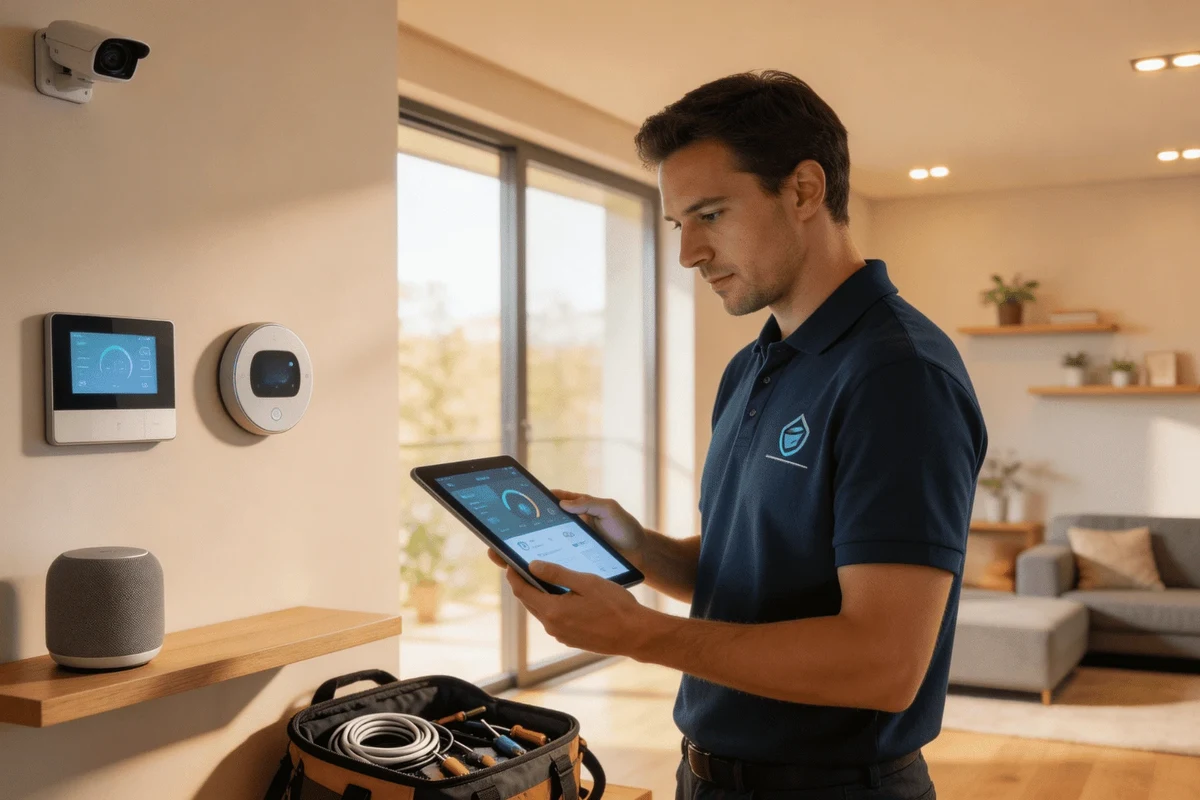
Smart home installation means setting up connected devices so they can be controlled from an app, voice assistant, automation routine, or central hub. That can include smart locks, cameras, lights, thermostats, door sensors, speakers, and leak detectors, all working together to simplify daily tasks.
Whether it is worth it depends on your goals. If you mainly want one or two helpful upgrades, a basic setup may be enough. If you want coordinated lighting, security, climate control, and remote access across multiple rooms, a more planned installation usually delivers a better experience.
Who Smart Home Installation Fits Best: Homes, Lifestyles, and Use Cases
Smart home installation tends to work best when it solves a recurring problem: forgotten lights, hard-to-reach switches, unclear energy use, package security, or the need to monitor a home while away. It is especially useful when several people share the same space and want simple, repeatable routines.
Best for busy households, energy-conscious homeowners, and tech-forward renters
Busy households often benefit from automation that reduces small daily chores, such as scheduled lighting or temperature changes. Energy-conscious homeowners may like smart thermostats and occupancy-based controls, while tech-forward renters often prefer wireless devices that can move with them and leave minimal marks.
Choose wireless, removable devices that do not require major wiring changes or permanent mounting.
A fuller setup can improve safety, convenience, and shared access across multiple rooms and users.
Look for finishes and hardware that blend into the room instead of making the technology feel visually loud.
When a basic setup is enough versus when you need a full-system install
A basic setup is usually enough if you only want a smart speaker, a few bulbs, or one thermostat. A full-system install makes more sense when you want devices to talk to each other, such as motion sensors turning on lights, or a lock triggering a home mode when you arrive.
For many homes, the best path is gradual. Starting with a small, reliable setup gives you time to confirm which platform you prefer before investing in more devices.
Core Features and Decision Criteria to Evaluate Before You Buy
The most important part of smart home installation is not the number of devices—it is whether they fit your existing platform, network, and privacy expectations. Before buying, check what each product supports and how it will behave in your actual home.
- Confirm platform compatibility with your current phone, voice assistant, and hub.
- Check whether the device needs a hub, subscription, or special wiring.
- Review privacy controls, firmware support, and account-sharing options.
- Map the rooms or zones where the device will actually be useful.
Compatibility with existing devices, platforms, and voice assistants
Compatibility matters because a device that works well in one ecosystem may be awkward in another. Check whether it supports your preferred app, voice assistant, and automation platform, and whether it can communicate with the rest of your devices without extra workarounds.
It also helps to confirm whether the device works with older equipment in your home. Some products are designed for newer standards, while others are more flexible and can bridge mixed-brand setups.
Wired vs. wireless systems, hub requirements, and network reliability
Wireless devices are usually easier to install and move, which is helpful for renters or smaller projects. Wired systems can be more stable in some homes, but they may require professional help, especially if electrical work is involved.
Hub-based systems can improve reliability and coordination, but they add another piece to manage. If your Wi‑Fi is weak in certain rooms, plan for range extenders, mesh networking, or repositioned hardware before you assume the device itself is the problem.
Network quality often affects smart home performance as much as the device brand does. If your home has dead zones, solve that first so cameras, sensors, and voice controls respond more consistently.
Security, privacy controls, and long-term software support
Security should be part of the buying decision, not an afterthought. Look for strong account security options, regular firmware updates, and clear privacy settings that let you control who can access cameras, locks, and household routines.
Long-term software support matters because smart home gear can become frustrating if the app is abandoned or the device stops receiving updates. When possible, review the manufacturer’s support policy and setup instructions before you commit.
Setup and Installation Basics: What the Process Typically Looks Like
Most installations follow the same general pattern: plan the layout, confirm connectivity, install the hardware, connect the app, and test the automations. A careful setup saves time later because it reduces device dropouts, false alerts, and access problems.
Planning the layout, checking Wi‑Fi strength, and mapping device zones
Start by deciding what each room needs. Entryways may benefit from locks and cameras, living areas from lighting and voice control, and utility spaces from leak or smoke-related alerts depending on the product category.
Then check Wi‑Fi strength where each device will live. Mapping zones in advance helps you avoid placing a camera where the signal is weak or a sensor where it cannot reliably reach the hub.
- Label rooms and routines clearly so everyone in the household understands them.
- Keep device names simple, such as “Front Door Lock” or “Kitchen Lights.”
- Test automations one at a time instead of enabling everything at once.
Common installation steps for locks, cameras, lights, thermostats, and sensors
Smart locks usually require careful alignment and compatibility with your existing door hardware. Cameras need a stable mount and a clear view, while smart lights may only need bulb replacement or switch setup depending on the model.
Thermostats often require more caution because they may involve electrical wiring and HVAC compatibility checks. Sensors are usually the simplest, but they still need proper placement so doors, windows, or motion zones are detected accurately.
Follow the manufacturer’s instructions for any electrical component, and contact a licensed professional if the installation involves wiring, unfamiliar breakers, or code-sensitive work.
When to DIY and when to hire a professional installer
DIY usually makes sense for battery-powered sensors, smart bulbs, plug-in devices, and some locks if the hardware is compatible and the instructions are clear. It can also be a good choice for renters who need a reversible setup.
Professional installation is often the better route for hardwired thermostats, integrated security systems, complex whole-home automation, or any project that touches electrical, structural, or code-related work. If you are unsure, a professional can help prevent costly compatibility mistakes.
Real-World Benefits and Limitations of Smart Home Installation
Smart home installation can improve daily life, but it is not magic. The best systems feel invisible most of the time, while the worst ones create extra apps, extra alerts, and extra maintenance.
Convenience, energy savings, safety, and everyday automation
The biggest benefit is convenience. You can automate lights, control temperature remotely, check on deliveries, and create routines that match your schedule rather than forcing you to remember every task manually.
Energy savings may also improve when devices help you avoid heating or cooling an empty home, though results vary by household habits and equipment. Safety benefits come from better visibility, alerts, and the ability to check status when you are away.
Common limitations: app overload, compatibility gaps, and maintenance demands
One of the most common frustrations is app overload. If every device needs its own app, the system can feel fragmented instead of helpful.
Compatibility gaps are another issue, especially when mixing brands or trying to connect older devices. Maintenance also never fully disappears: batteries need replacing, firmware needs updating, and routines sometimes need adjusting when your schedule changes.
- Convenience through automation and remote control
- Potential energy management improvements
- Better monitoring for entry points and key rooms
- Can become confusing if the system is too fragmented
- May require ongoing app and firmware maintenance
- Compatibility is not guaranteed across every brand
Common Mistakes to Avoid During Smart Home Installation
Most smart home problems come from planning mistakes, not from the devices themselves. A little preparation goes a long way toward making the system feel dependable instead of fussy.
Overbuying devices before confirming compatibility
It is easy to buy a bundle of devices before checking whether they work together. That often leads to returns, duplicate apps, or features you cannot use because your hub or voice assistant does not support them.
A better approach is to confirm the core platform first, then add devices in stages. This is especially helpful if you are building around a specific ecosystem or planning to expand later.
Poor Wi‑Fi placement, weak passwords, and unsecured accounts
Weak network setup can make even good devices feel unreliable. Place routers and mesh points where they can actually support the rooms that need them, not just where the internet line enters the home.
Security hygiene matters too. Use strong passwords, enable available account protections, and review shared access so guests, contractors, or family members only have the permissions they need.
Ignoring future expansion, family access, and backup controls
Think beyond the first few devices. If you may add cameras, sensors, or a second thermostat later, choose a platform that can grow without forcing a complete replacement.
Also plan for backup controls. Physical switches, manual overrides, and local access options are important if the internet goes down or a household member does not want to rely on the app every time.
- Plan for future rooms, users, and devices before purchasing
- Set up strong account security from the start
- Keep manual controls available where possible
- Buying a large bundle without checking compatibility
- Relying on one app or one internet connection for everything
- Assuming every automation will work perfectly on day one
Safe Use, Care, and Maintenance for Long-Term Performance
Smart home systems last longer and work better when they are maintained like any other household equipment. That means cleaning them gently, checking power sources, and updating software when recommended by the manufacturer.
Cleaning devices, checking batteries, updating firmware, and testing routines
Dust can interfere with sensors, speakers, and camera lenses, so wipe devices with a dry or manufacturer-approved method. Check batteries on a regular schedule for locks, sensors, and remote controls so you are not caught off guard.
Firmware updates are worth taking seriously because they often include performance fixes and security improvements. It also helps to test routines occasionally so you know lights, locks, and alerts still behave the way you expect.
Stop using any item that is cracked, wobbly, frayed, or improperly assembled, and follow the manufacturer’s safety guidance.
Safety notes for cameras, locks, thermostats, and electrical components
Cameras should be placed so they respect household privacy and local rules, especially in shared spaces or rental properties. Smart locks should always be installed according to the manufacturer’s instructions so the door still opens smoothly in an emergency.
Thermostats and other electrical components deserve extra care. If a step requires wiring, breaker access, or wall work beyond basic replacement, it is safer to use a licensed professional and to follow local building or fire-safety guidance.
Final Recommendation: Is Smart Home Installation a Smart Investment for Your Home?
For most households, smart home installation is a smart investment when it starts with a clear purpose: convenience, security, energy control, or accessibility. The best results usually come from a simple, reliable setup that matches your home and grows only when you need more.
Best-value setup paths by budget and home type
If you are on a modest budget, start with one platform, one or two devices, and a strong Wi‑Fi foundation. Renters often get the best value from wireless bulbs, plugs, sensors, and portable cameras that do not require permanent changes.
Homeowners planning a longer-term system may get more value from a coordinated setup that includes locks, thermostats, lighting, and sensors that can work together. If you are also improving the rest of the home, it can help to think alongside broader projects like home remodeling or other room upgrades so the technology fits the layout instead of fighting it.
Transparent verdict on when to start small and when to go all in
Start small if you are still learning which platform you prefer, if you rent, or if your Wi‑Fi and household routines are not yet stable enough for a larger system. Go all in only when you have a clear plan, compatible devices, and a home that will truly benefit from whole-home automation.
For readers comparing broader smart-home options, the Home Dreams smart home category can help you explore related guides as you build out the system at your own pace.
Common Questions
Start by deciding what problem you want to solve, then check compatibility and Wi‑Fi coverage in the rooms you plan to automate.
Not always. Some devices connect directly through Wi‑Fi, while others work better with a hub for reliability and coordination.
Basic devices are often beginner-friendly, especially plugs, bulbs, and some sensors. More complex systems are easier when installed in stages.
Smart bulbs, plugs, and simple sensors are often the easiest because they usually need less setup than locks or thermostats.
Hire a pro for hardwired devices, electrical work, integrated security systems, or any install that feels beyond your comfort level.
Frequently Asked Questions
Any home can benefit if the setup matches the layout and the household’s needs. Larger homes and busy families often get the most from coordinated automation, while renters usually do best with wireless, removable devices.
Check platform compatibility, Wi‑Fi strength, hub requirements, privacy settings, and whether the device needs a subscription. It also helps to confirm that the product fits your room layout and daily routine.
It varies widely by brand, device type, and whether you need professional help. A small starter setup can stay modest, while a full-home system with wiring and integrated controls will cost more.
Clean them gently, replace batteries when needed, and install firmware updates from the manufacturer. Testing routines every so often helps you catch problems before they become frustrating.
Common mistakes include buying too many devices too soon, ignoring Wi‑Fi coverage, and overlooking security settings. Another frequent issue is forgetting to plan for future expansion or family access.
Yes, they can improve visibility, alerts, and access control when used correctly. That said, they should complement—not replace—basic household safety practices and proper installation.